
On November 1, 2026, the tax refund kiosks at Fukuoka Airport were in the third-floor departure lobby of the international terminal, 43 minutes from the Tenjin Station ticket gate on one timed trip. A video of one person's scan showed about 10 seconds between placing a passport on the scanner and the approval screen.
Travelers from South Korea did the procedure with their own passports. An intern at the company that runs RefundJapan, in Japan on a working holiday, guided the travelers and did the filming and photos. RefundJapan is an app our company built.
A kiosk, in this article, means the machine where you scan your passport for the customs check on tax-free purchases. A duty-free shop is a different thing altogether, so look for the words on the sign: CUSTOMS TAX REFUND.
How long does it take from Tenjin to the Fukuoka Airport tax refund kiosk?
About 43 minutes on November 1, 2026, from the central ticket gate at Tenjin Station to the kiosks in the international terminal. The subway ride began at 11:37 and the travelers stood at the machines around 12:20, with a connecting bus in between. One timed trip is all this figure rests on.
| Time | What happened | Minutes since the last row |
|---|---|---|
| 11:37 | Boarded the subway from the central ticket gate at Tenjin Station | - |
| Around 11:59 | Arrived on the domestic side of Fukuoka Airport | 22 |
| Around 12:04 | Joined the connecting bus line and boarded | 5 |
| Around 12:15 | Arrived at the international terminal | 11 |
| Around 12:20 | Reached the kiosks | 5 |
Of those 43 minutes, 16 went on crossing from the domestic side to the international terminal, between about 11:59 and about 12:15. The subway let the travelers off on the domestic side, so the bus was the link. One trip cannot tell you how long the bus line will be on your own day, and we did not time a second run.
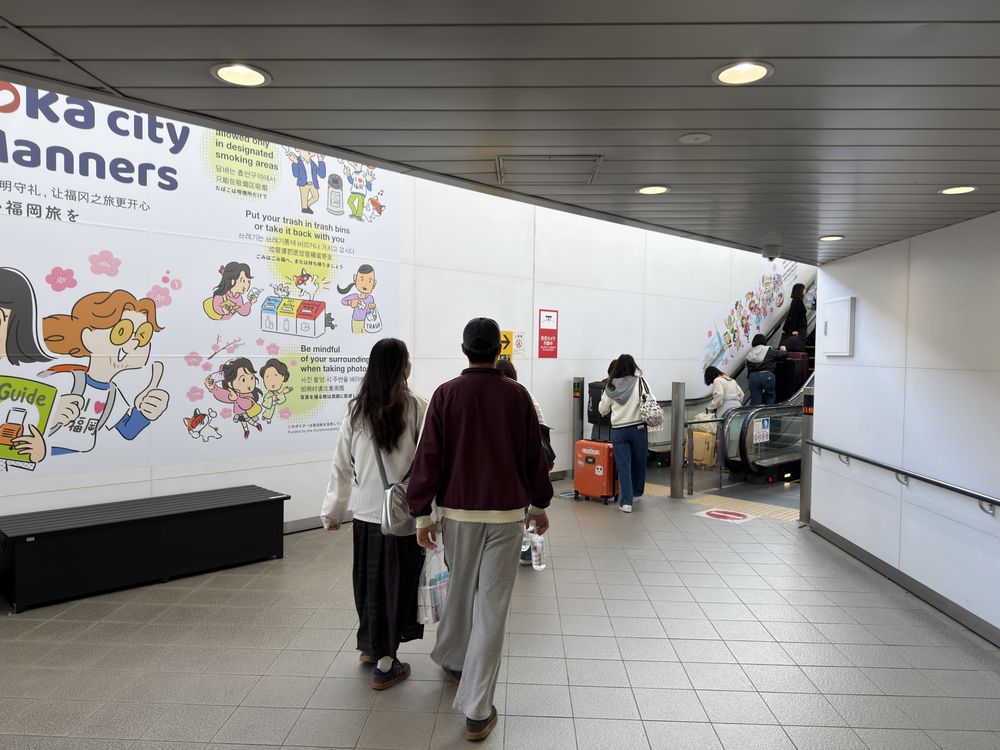
Getting to the airport was the part the travelers knew. They knew only to go there, and what came next was not clear. So they asked a staff member, who led them to the machines. Asking worked. If you would rather know the way before you land, the next section gives the floor and the counters.
Photograph each receipt and the app checks every shop’s conditions (¥5,000 per shop per day, 90 days) and shows your refund outlook.
Get the appWhere are the tax refund kiosks at Fukuoka Airport?
The kiosks are on the third floor of the international terminal, in front of counters J to M on the south side, according to Fukuoka Airport (checked November 2, 2026). The page lists 12 machines, open from 6:00 to 21:00. On November 1, 2026, the D5 entrance was close by.
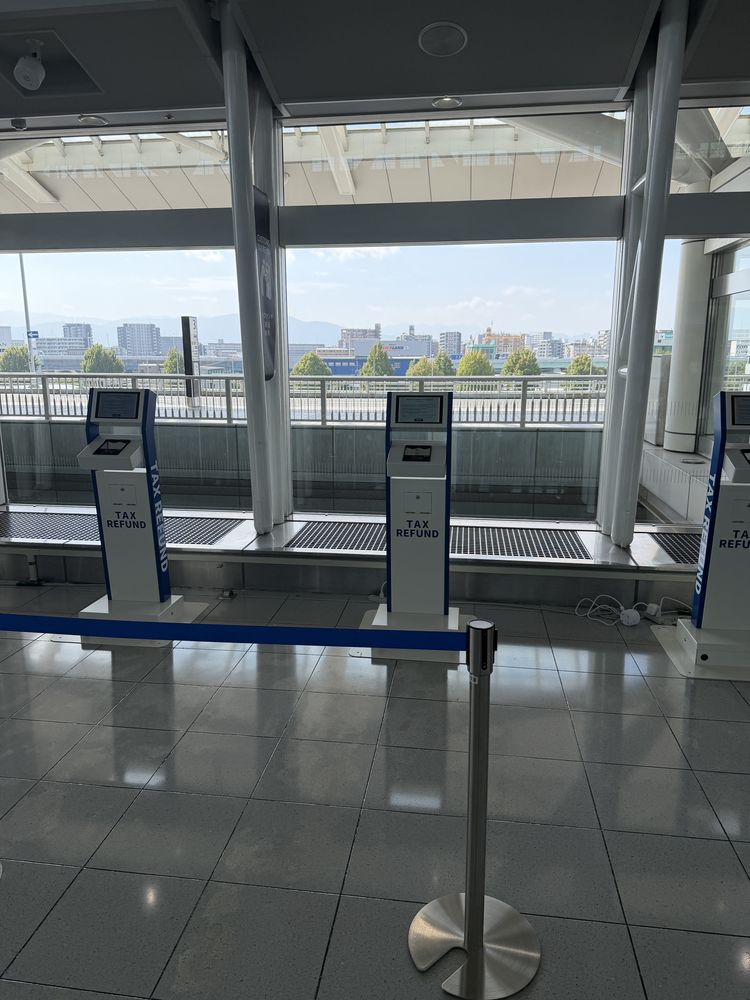
Look up for the sign. On November 1, 2026, a CUSTOMS TAX REFUND display sat above the machines. The counter letters come from the official page, while the sign and the D5 entrance are what we saw on the day. Use both to find the spot, because a lobby with many counters is easier to read with two landmarks than with one.
Fukuoka is one airport among several, and the layout here says nothing about the others. Our separate page on what is known about departure airports looks at that wider question.
How do you use the tax refund kiosk at Fukuoka Airport?
On November 1, 2026, the machine asked for 2 actions: press START, then place the passport on the scanner. A video of one person's scan showed about 10 seconds from placing the passport to the approval screen, and the result on screen read Completed and Approved.
- Read the first screen. It showed an Attention notice and a START button.
- Press START.
- Place your passport on the scanner.
- Read the result. The screen showed Completed and Approved, along with the nationality and passport number to confirm.
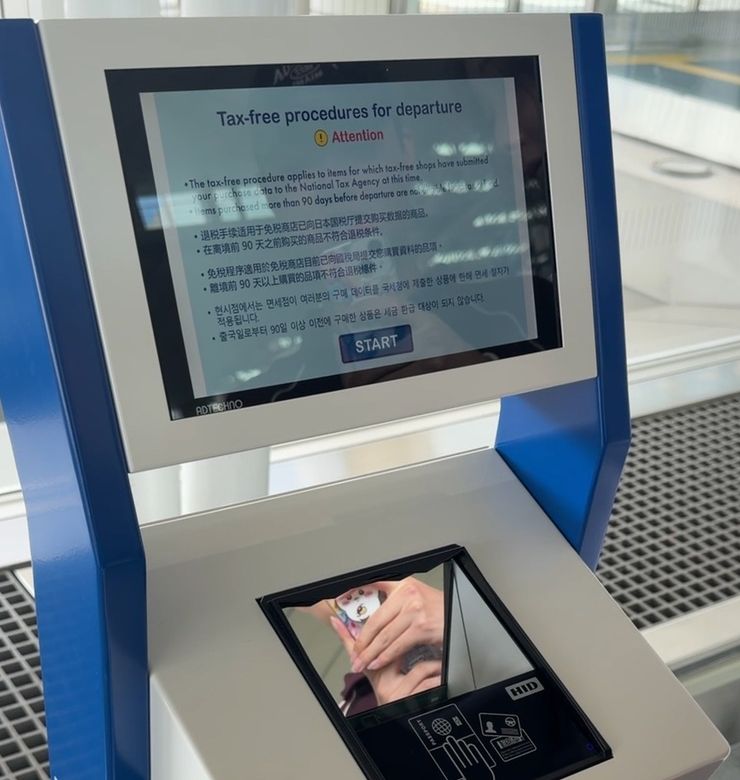
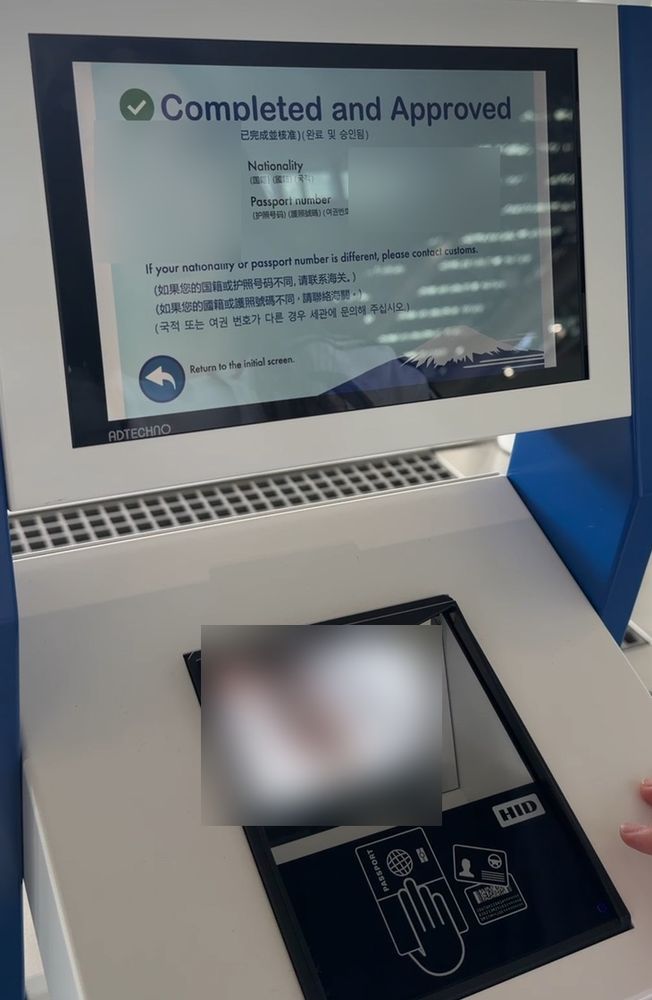
Ten seconds covers the scan and nothing else. The trip, the bus and any line in front of the machines sit outside that number. Keep the two apart when you plan your departure day.
Registration with the refund company happened earlier and has its own record: 3 hassles we hit when registering. For how the machines fit into the tax-free process in general, see what happens at the customs terminal.
What do you do after green or red at the Fukuoka Airport kiosk?
Green means you go on to check-in, and red means you go to a customs inspection, according to Fukuoka Airport (checked November 2, 2026). The same page says to do the customs check before checking baggage and to arrive with time to spare.
| Result | Next step on the official page |
|---|---|
| GREEN | Go to check-in |
| RED | Go to the customs inspection |
The screen in our record read Completed and Approved. Everything about the red route here comes from the official page, not from watching it happen to the travelers. Our page on what green and red mean at customs goes further.
The order matters for your bags. On the day you fly, go to the kiosk first and to the baggage counter after. Fukuoka Airport's page gives no specific number of minutes for the customs check, and our 43-minute trip and 10-second scan cannot fill that gap. For the reasoning on bags, read whether to check your bag before the terminal.
Was the Fukuoka Airport kiosk area crowded?
The picture changed within 12 minutes on November 1, 2026. The area around the machines was quiet at 12:23, another person was spreading out luggage in front of a staff member at 12:31, and a line had formed at 12:35. That is the look of one day only.
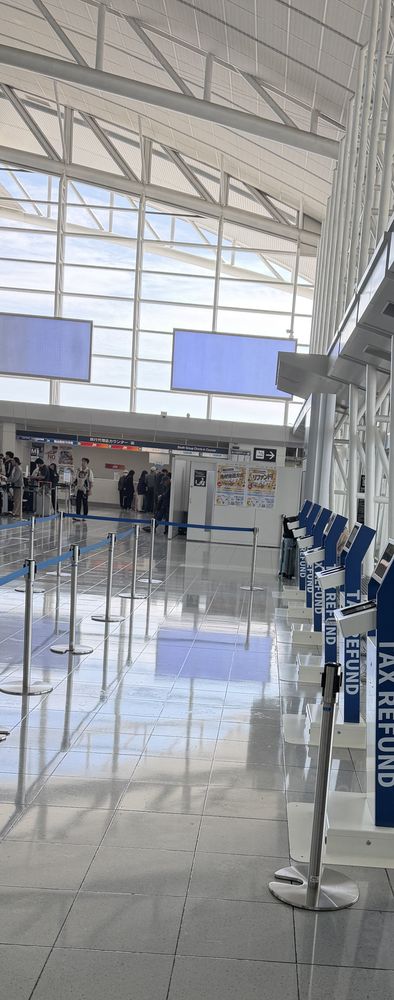
We do not know whether the person at 12:31 had a red result. All we saw was luggage opened out in front of staff, so please do not read that scene as what red looks like.
Nor can we name busy hours. The official opening time runs for 15 hours, from 6:00 to 21:00, and we watched about 15 minutes of it, between 12:20 and 12:35. Short window. The only safe reading is that a quiet area at one moment may not stay quiet a few minutes later.
Can you use Visit Japan Web instead of the Fukuoka Airport kiosk?
Yes, according to Fukuoka Airport (checked November 2, 2026), though you need an account and registered user details. A customs-only Wi-Fi network, SSID Customs_WiFi_For_TaxRefund, connects inside the third-floor international departure lobby. The travelers on November 1, 2026 used the kiosk.
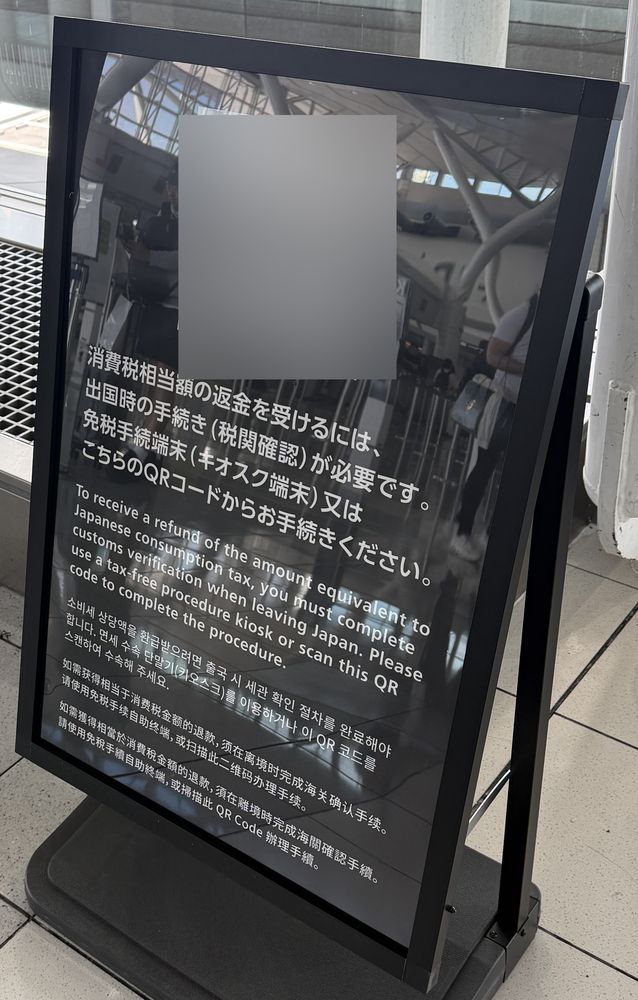
On November 1, 2026, a sign in the lobby carried a QR code for the Wi-Fi. Because the travelers went to the machine, our record cannot compare the two routes on speed or ease. Anyone planning on Visit Japan Web has one clear job before reaching the lobby, and that is sorting out the account and user details.
What are common questions about the Fukuoka Airport tax refund kiosk?
Should you go to the kiosk before checking your bags at Fukuoka Airport?
Yes. Fukuoka Airport (checked November 2, 2026) says to do the customs check before checking baggage.
How many kiosks does Fukuoka Airport have, and when are they open?
The airport lists 12 kiosks in front of counters J to M on the south side of international terminal floor 3, open from 6:00 to 21:00 (Fukuoka Airport, checked November 2, 2026).
What if you pass the customs check and then do not take the goods out of Japan?
Consumption tax is collected, and failing to take the goods out without delay and without good reason can bring penalties, according to the National Tax Agency Q&A, p. 30 (checked November 2, 2026).
How long after buying can you do the customs check?
The check at departure is required within 90 days of the purchase date, according to the National Tax Agency Q&A (checked November 2, 2026).
What if you cannot find the kiosk at Fukuoka Airport?
Ask a staff member. On November 1, 2026, the travelers did exactly that and were led to the machines.
Sources
Primary sources only. Each carries the date we checked it.
- Fukuoka AirportChecked November 2, 2026
- National Tax Agency Q&A, p. 30Checked November 2, 2026